The beta is live/Join the free beta
Built for the work between the tickets

Your MSP,in command.

MSP OS connects the knowledge, projects, clients, scripts, quotes, and recordings that keep your operation moving.
Join the free beta
Free during beta
No card required
MSP OS / TrackIT / Live workspace
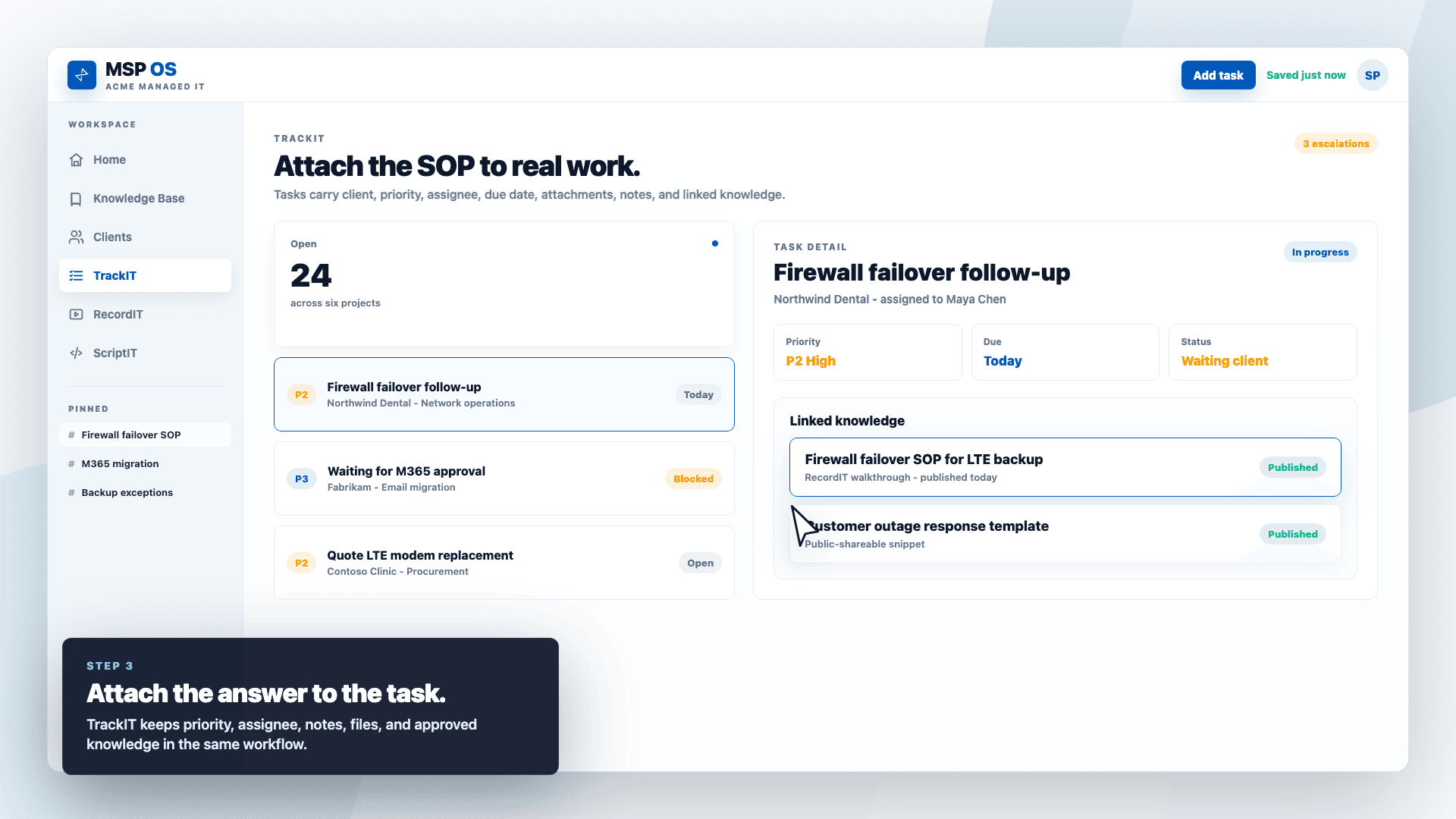
MSP OS TrackIT workspace showing project tasks, task details, and linked knowledge
Context travels with the work
Priority. Owner. Client. SOP.
The operating layer

Your tools track activity.
MSP OS keeps the context.

01

Stop solving the same problem twice.

02

Keep knowledge attached to real work.

03

Give people and agents one trusted source.

See the system work

A fix becomes
an operating asset.

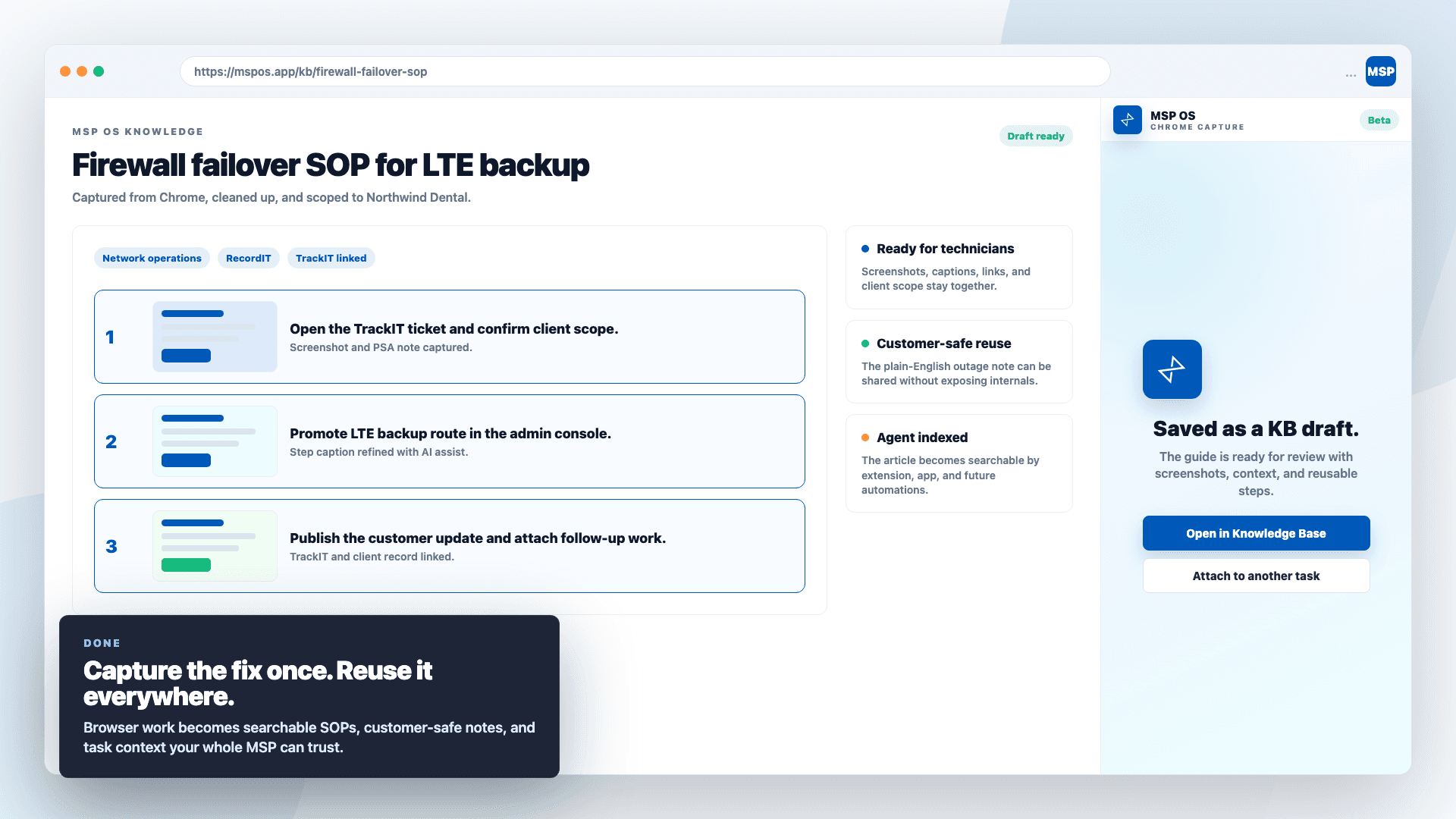
Capture the workflow where it happens. Turn it into structured knowledge. Attach it to the next task that needs the answer.

MSP OS browser capture turning a technical workflow into reusable knowledge
CAPTURE / 01

Save the fix while it is fresh.

Browser work becomes a clean draft with screenshots, steps, client scope, and links intact.

MSP OS task view with linked knowledge ready for the technician
REUSE / 02

Put the answer beside the work.

Technicians see the approved knowledge without leaving the project or losing client context.

One system, six jobs

The core of your MSP,
without the tab sprawl.

01
Knowledge Base

The answer your team already earned.

Capture fixes, SOPs, and customer-safe notes in one searchable source.

02
TrackIT

Work with the context attached.

Projects, priorities, owners, files, and linked knowledge—together.

03
Client Monitoring

See what needs attention.

Asset, backup, security, and network health in a single operational view.

04
RecordIT

Show the work once.

Record walkthroughs and handoffs, then keep them beside the work they explain.

05
ScriptIT + QuoteIT

Turn expertise into action.

Keep approved scripts ready and turn scoped work into clean customer quotes.

How context compounds

Capture once.
Use it again.
Get smarter.

  1. 01

    Capture

    A fix, walkthrough, script, quote, or client detail enters the system.

  2. 02

    Connect

    MSP OS links it to the client, project, task, and people who need it.

  3. 03

    Reuse

    Your team—and authorized agents—work from the same trusted context.

The stack comes with you

Connect the tools
already doing the work.

Live integrations are labeled clearly. More are joining the operating layer next.

Syncro logo

Syncro

Live
Dropsuite logo

Dropsuite

Live
Huntress logo

Huntress

Live
Entra ID logo

Entra ID

Live
Slack logo

Slack

Live
Ubiquiti logo

Ubiquiti

Live
Hudu logo

Hudu

Soon
SuperOps logo

SuperOps

Soon
The beta is live

Put your MSP
in command.

Free during betaNo card requiredAll live modules
Join the free beta